Property Finder - Emails
I redesigned Property Finder’s re-engagement emails and built a reusable system in Braze, with reported results of 8% total CTR and 50%+ open rates.
I redesigned Property Finder’s re-engagement emails and built a reusable system in Braze, with reported results of 8% total CTR and 50%+ open rates.
Property Finder’s emails were inconsistent and manually rebuilt in a third-party tool. I audited and redesigned the full email suite, then created reusable components in Figma and Braze to improve consistency, speed up production, and support automation and A/B testing.
Property Finder’s emails were inconsistent and manually rebuilt in a third-party tool. I audited and redesigned the full email suite, then created reusable components in Figma and Braze to improve consistency, speed up production, and support automation and A/B testing.
Context
B2C - CRM automation
Role
Product designer
Platform
Email · Desktop & mobile
Duration
Q4 2024

The Context
The Context
Within Property Finder’s Re-engagement & Retention squad, we used email to bring users back to their property search. Existing emails were inconsistent, and developers manually recreated templates in a third-party tool, making updates repetitive and time-consuming.
The move to Braze was an opportunity to improve both the email experience and its production process. I audited the existing emails, explored design improvements, and prioritized them with the product manager and engineering manager based on effort and impact.
I also built a reusable email library in Figma and Braze to keep designs consistent and simplify production.
Within Property Finder’s Re-engagement & Retention squad, we used email to bring users back to their property search. Existing emails were inconsistent, and developers manually recreated templates in a third-party tool, making updates repetitive and time-consuming.
The move to Braze was an opportunity to improve both the email experience and its production process. I audited the existing emails, explored design improvements, and prioritized them with the product manager and engineering manager based on effort and impact.
I also built a reusable email library in Figma and Braze to keep designs consistent and simplify production.
Audit & Benchmarking
Audit & Benchmarking
The first step was understanding what we already had. I mapped every existing email and push notification to see the full communication landscape and identify overlaps, gaps, and inconsistencies.
I then benchmarked how other real-estate and consumer products such as Zillow, Redfin, Rightmove, Bayut, and Airbnb structured their email systems, what types of messages they sent, and which patterns worked well or created friction. Comparing these findings with our own suite helped me identify opportunity areas and redesign the existing emails.
The first step was understanding what we already had. I mapped every existing email and push notification to see the full communication landscape and identify overlaps, gaps, and inconsistencies.
I then benchmarked how other real-estate and consumer products such as Zillow, Redfin, Rightmove, Bayut, and Airbnb structured their email systems, what types of messages they sent, and which patterns worked well or created friction. Comparing these findings with our own suite helped me identify opportunity areas and redesign the existing emails.
Make the reason clear
Key information such as new listings, search criteria, or price changes was not always easy to identify at a glance.
Key information such as new listings, search criteria, or price changes was not always easy to identify at a glance.
Offer a useful next step
Some emails brought users back to the product without clearly showing what they could do next or why it was valuable.
Some emails brought users back to the product without clearly showing what they could do next or why it was valuable.
Create consistency
Similar content was presented differently across the suite, revealing an opportunity for clearer hierarchy and reusable patterns.
Similar content was presented differently across the suite, revealing an opportunity for clearer hierarchy and reusable patterns.
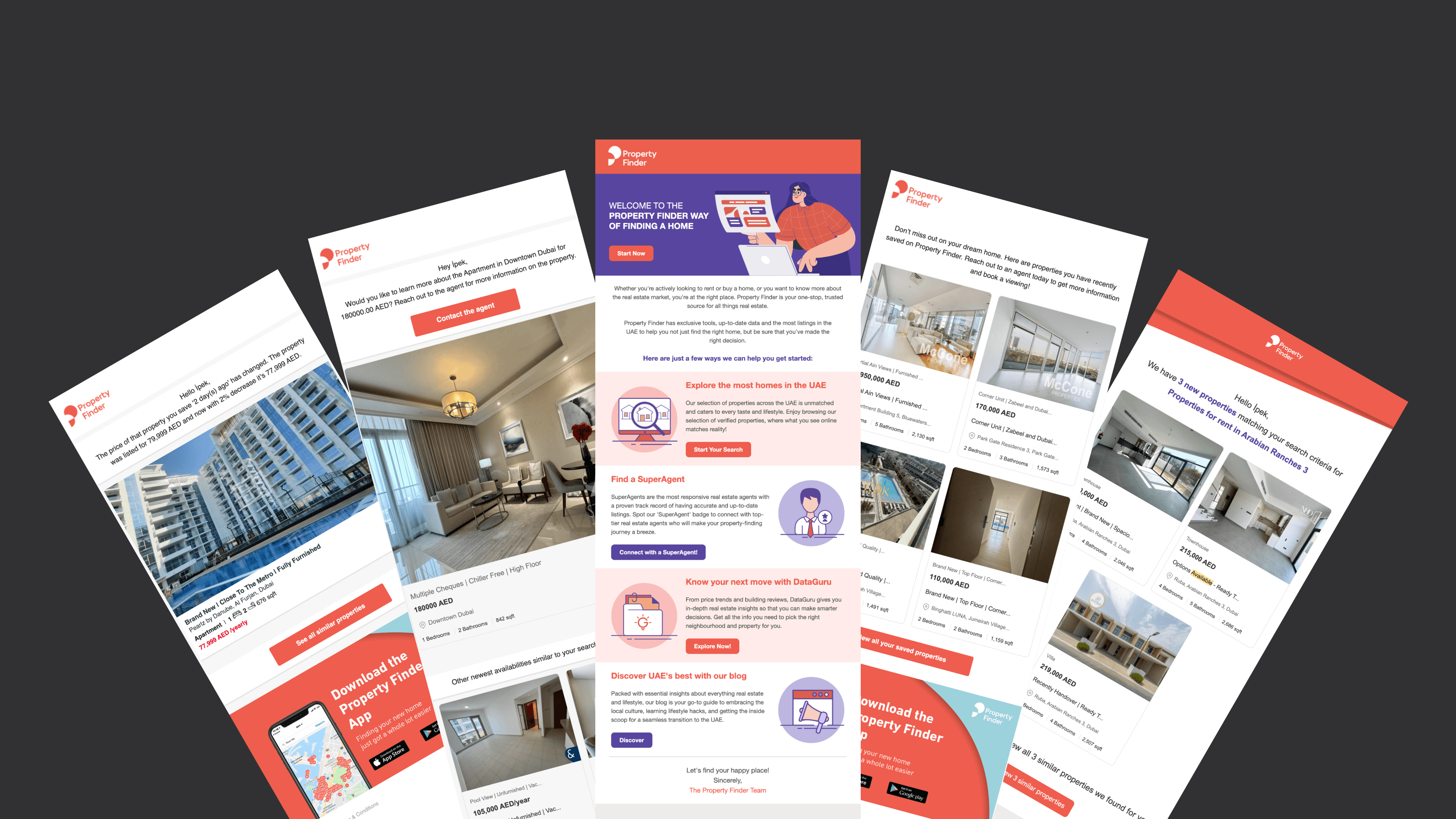
Some existing emails

Benchmarking analysis and opportunity areas
These findings became the starting point for ideation and effort–impact prioritization.
These findings became the starting point for ideation and effort–impact prioritization.
Ideation & Prioritization
Ideation & Prioritization
While an external copywriter worked on the messaging, I created design directions and variants for each email. The work also included revising every subject line and preheader across the suite.
I reviewed the concepts with the product manager and engineering manager, discussing what to keep, refine, test, or leave out. We then mapped the ideas by effort and impact, prioritizing changes that could create meaningful value with relatively low implementation effort.
Because this work coincided with the move to Braze, we approached the emails as a connected system rather than a series of isolated fixes. We improved the existing re-engagement emails, refreshed the welcome experience, and introduced new emails for strategic areas such as New Projects.
While an external copywriter worked on the messaging, I created design directions and variants for each email. The work also included revising every subject line and preheader across the suite.
I reviewed the concepts with the product manager and engineering manager, discussing what to keep, refine, test, or leave out. We then mapped the ideas by effort and impact, prioritizing changes that could create meaningful value with relatively low implementation effort.
Because this work coincided with the move to Braze, we approached the emails as a connected system rather than a series of isolated fixes. We improved the existing re-engagement emails, refreshed the welcome experience, and introduced new emails for strategic areas such as New Projects.
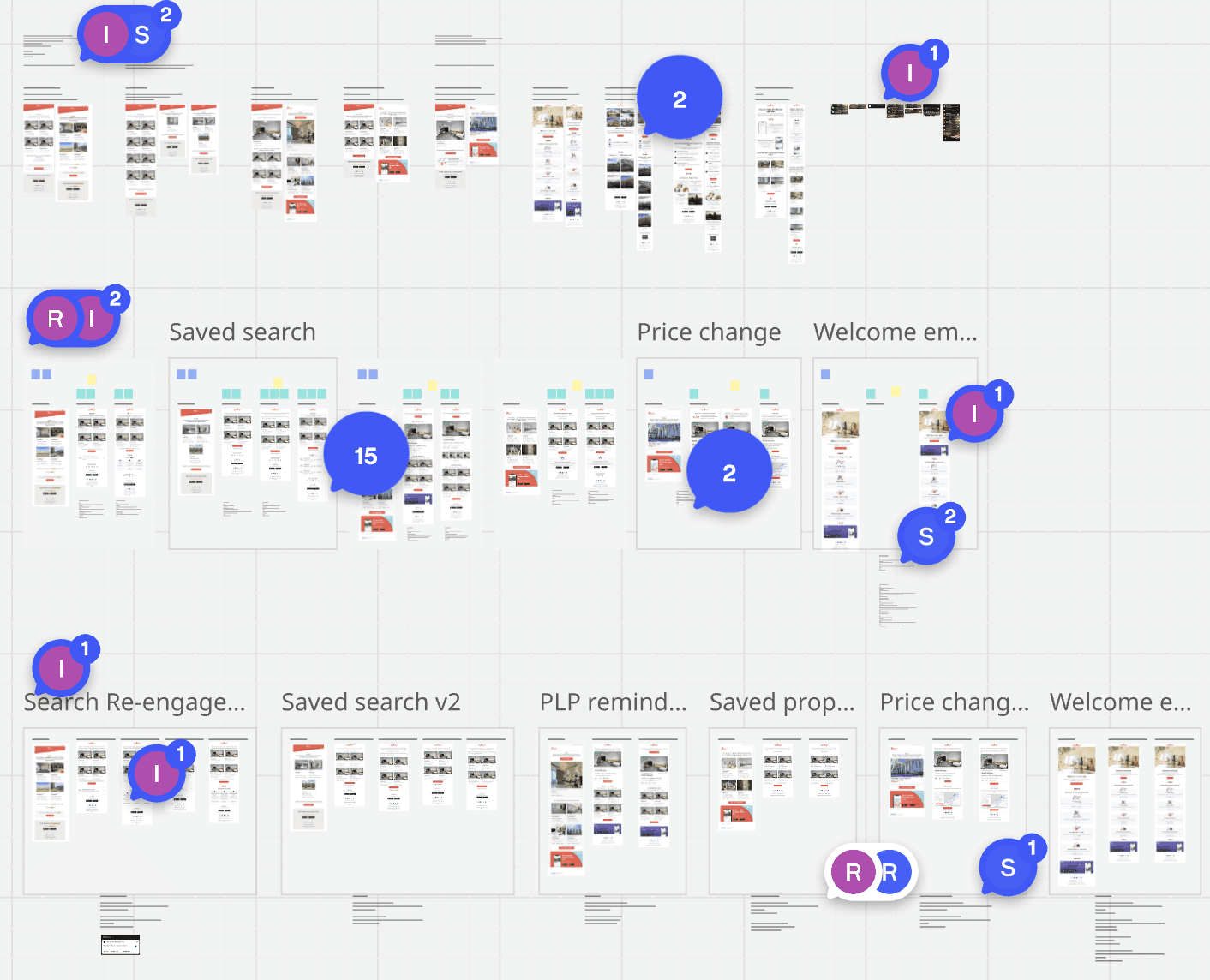
Reviewing design and content variants with the team

Prioritizing ideas by effort and impact
Building an Email Library
Building an Email Library
Once the email directions were finalized, I consolidated the recurring patterns into a component library in Figma and recreated them as reusable content blocks in Braze. This made it easier to produce future emails in the same visual language while reducing repetitive design and production work.
Once the email directions were finalized, I consolidated the recurring patterns into a component library in Figma and recreated them as reusable content blocks in Braze. This made it easier to produce future emails in the same visual language while reducing repetitive design and production work.
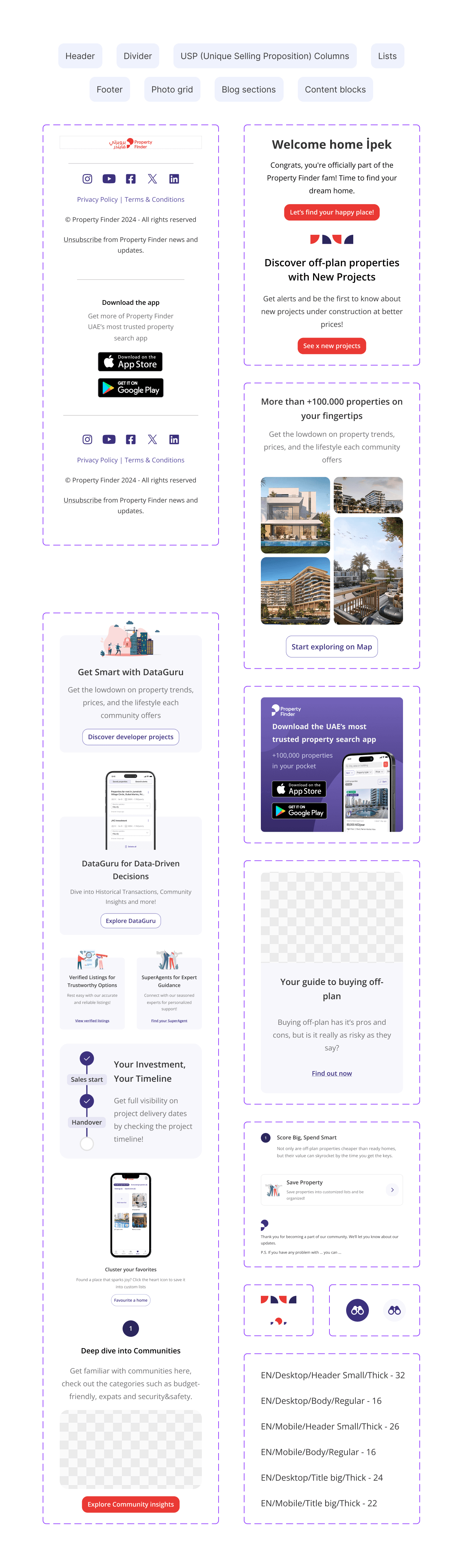
Reusable components created in Figma
The Redesigned Emails
The Redesigned Emails
Alongside revising the existing emails, we created new ones to address communication gaps identified during the audit and support strategic areas across the user journey.
Alongside revising the existing emails, we created new ones to address communication gaps identified during the audit and support strategic areas across the user journey.
Refining Existing Emails
Refining Existing Emails
We revisited five existing email journeys, resolving issues such as broken links and inconsistent layouts while clarifying each email’s purpose, strengthening the content hierarchy, and making the next action easier to understand.
Welcome Email
Introduced Property Finder’s key tools and guided new users toward relevant next steps.Saved Search Email
Surfaced new listings matching the criteria users had previously saved.Price Change Email
Highlighted property price changes and provided useful context for the next decision.Saved Property Email
Brought saved properties back into consideration and made them easier to revisit.PLP Reminder
Returned recently viewed property listings to users’ attention.
We revisited five existing email journeys, resolving issues such as broken links and inconsistent layouts while clarifying each email’s purpose, strengthening the content hierarchy, and making the next action easier to understand.
Welcome Email
Introduced Property Finder’s key tools and guided new users toward relevant next steps.Saved Search Email
Surfaced new listings matching the criteria users had previously saved.Price Change Email
Highlighted property price changes and provided useful context for the next decision.Saved Property Email
Brought saved properties back into consideration and made them easier to revisit.PLP Reminder
Returned recently viewed property listings to users’ attention.

Introducing New Emails
Introducing New Emails
We expanded the suite with five new emails across onboarding, off-plan discovery, and location exploration. This included the first dedicated emails for users still deciding where to search, a user group that had not previously received tailored email communication.
We expanded the suite with five new emails across onboarding, off-plan discovery, and location exploration. This included the first dedicated emails for users still deciding where to search, a user group that had not previously received tailored email communication.
Welcome Follow-up Email
Welcome Follow-up Email
Audience: New users following the initial welcome email
Introduced search alerts, saved properties, and New Projects to help users get more value from the platform.
Audience: New users following the initial welcome email
Introduced search alerts, saved properties, and New Projects to help users get more value from the platform.

New Projects / Off-plan Education & Project Discovery
New Projects / Off-plan Education & Project Discovery
Off-plan Education:
Audience: All users
Introduced off-plan buying through its key benefits and educational content, creating a broader entry point into New Projects.
Project Discovery:
Audience: Users who viewed an off-plan property page within the previous six months
Re-engaged users who had already shown interest with project timelines and a selection of current developments.
Off-plan Education:
Audience: All users
Introduced off-plan buying through its key benefits and educational content, creating a broader entry point into New Projects.
Project Discovery:
Audience: Users who viewed an off-plan property page within the previous six months
Re-engaged users who had already shown interest with project timelines and a selection of current developments.


Explorer / No Location Selected & Multiple Locations
Explorer / No Location Selected & Multiple Locations
No Location:
Audience: Users searching without a location or only at emirate level
Reached users one day after a broad search and introduced DataGuru tools to help them identify suitable areas.
Multiple Locations:
Audience: Users searching across multiple locations
Used location-specific insights to help users compare areas and narrow down their options.
No Location:
Audience: Users searching without a location or only at emirate level
Reached users one day after a broad search and introduced DataGuru tools to help them identify suitable areas.
Multiple Locations:
Audience: Users searching across multiple locations
Used location-specific insights to help users compare areas and narrow down their options.